
Version 3.6 on the App Store
Stay close
to Scripture.
Read, reflect, and pray in one calm, private app for iPhone, iPad, and Mac.
Free to read. No account needed.
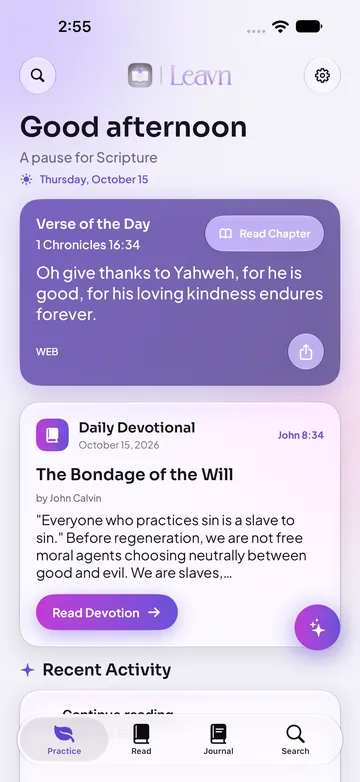

Read
Scripture first.
A quiet reader that keeps your place, with the study tools a tap away.
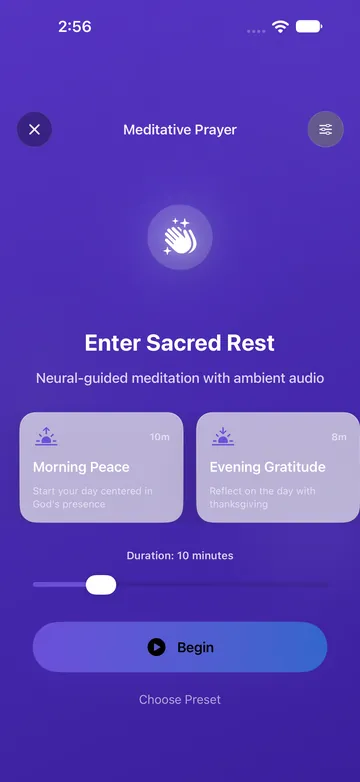
Pray
Pray, then be still.
Guided prayer sessions with ambient audio, from five minutes to twenty.
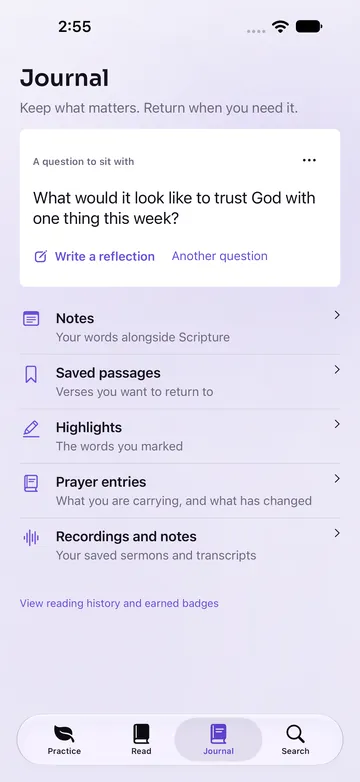
Journal
Keep what matters.
Notes, saved passages, highlights, and prayers, all in one private place.
Everything in one place.
Verse of the Day widget
A fresh verse on your Home Screen every morning, plus a Favorite Verse widget for the passages you return to.
Reading plans
Daily, topical, and devotional plans with progress tracking and plan widgets.
Favorites
Save verses, highlights, and notes, and find them again from Grow or your widgets.
Kids settings
A Kids mode with age-appropriate wording and a parental PIN to leave it.
How Leavn compares.
Against popular Bible apps. Swipe the table on small screens.
| Feature |  Leavn Leavn |  YouVersion YouVersion |  Bible Gateway Bible Gateway |  Hallow Hallow |  Logos Logos |  Olive Tree Olive Tree |
|---|---|---|---|---|---|---|
| Strong's Lexicon | Paid | Paid | ||||
| Sermon Recording | ||||||
| Prayer Journal | ||||||
| Reading Plans | ||||||
| Translations | 13+ | 3,500+ | 200+ | Several | Free + paid | 100+ |
| Kids Mode | Separate app | |||||
| Theological Traditions | Catholic | |||||
| Offline Access | Some | |||||
| No Ads | Paid | |||||
| Guided Prayer | ||||||
| AI Study Personas |
Based on each app’s public listing and help pages as of October 2026. “Paid” means the feature needs a paid tier. Features vary by platform; check each listing before choosing.
On-Device AI Options
Your study stays yours.
No ads. On-device study tools work on compatible devices; optional AI providers and account sync use connected services. See the Privacy Policy.
Questions
What is Leavn?
Leavn is a Bible study companion for reading Scripture, prayer, notes, and reflection. It brings reading and study tools together in a privacy-conscious app.
Which platforms does Leavn support?
The Leavn family includes iPhone, iPad, Mac, Apple Watch, Apple TV, Apple Vision Pro, Android, and the web. Features and device requirements vary by platform; check the relevant app listing before downloading.
Is Leavn free?
Leavn is free to download, and core Bible reading and study features stay free. Optional Leavn Premium features are available through monthly or yearly subscriptions and a one-time lifetime purchase. The app shows the plan and regional price before you buy.
Does Leavn work offline?
Downloaded Bible translations and locally stored study material can be used offline. Account sync, community features, and optional online services need an internet connection. AI availability depends on your device and the provider you choose.
How does Leavn handle my data?
Leavn supports local storage and on-device features. Optional account sync and connected services process selected data as described in the Privacy Policy. AI behavior depends on your selected feature and provider; review those settings before sharing personal information.
How do I manage a Leavn Premium subscription?
For purchases through Apple, manage or cancel your subscription in your Apple ID subscription settings. Restore Purchases is available in the app. A lifetime purchase does not renew. See the Terms of Service for the full purchase details.
Read the Privacy Policy and Terms of Service, or get support.